by Scott Heise aka HomerJr and Rick DeMille aka Darklighter
[Updated 09/02/2025]
Updated to include the High Alert First Strike.
by Scott Heise aka HomerJr and Rick DeMille aka Darklighter
Updated to include the High Alert First Strike.
by Scott Heise aka HomerJr and Rick DeMille aka Darklighter
Updated to include the High Alert Invasion.

There is a new version of the Megahaulin Card Tier “App”. The old URL no longer works.
The new APP can be accessed HERE. All of the Megahaulin blog pages that linked to the app have been updated with the new URL.
If you didn’t know there was an “app”, now you do! If you use the Megahaulin Card Tier List, we had created a quick access “app” you can save to your phone/tablet (or access via a browser on your computer). Here are a few screenshots.


To install on your phone, simply click this link on your phone, which will open it in your phone’s browser. A prompt should appear for you to Install the app, click “Install” and it will add the icon tot he home screen. If “Install” prompt does not appear, open your browser settings and choose the “Add to Home screen” option.
Why do I keep putting “app” in quotes? Because it’s not actually an “app”; you can’t find it in the app store. But it’s designed for phones. You can save it to your home screen so it opens on your phone like an app.
Suggestions for features for the “app”? Let us know in the comments below.
NOTE: this “app” is hosted by Glide, which has some limitations so not all your suggestions may be possible. If you’re aware of a better (and free) place to host this info, let us know!
Stay tuned for an updated list with High Alert Invasion and First Strike!
On August 24th, the Star Realms Fan Created Community Facebook Page commemorates its 10th Anniversary!
To celebrate, the FB page admins are hosting an online Tournament (starting Aug. 24th) with an awesome prize provided by WWG!
WWG has announced it will send an uncut foil sheet of Star Realms cards to the winner.
Any questions? Contact Dustin Brehmer, one of the Facebook Group admins.
by Scott Heise aka HomerJr and Rick DeMille aka Darklighter
Updated to include the High Alert Requisition and Heroes.
by Rick DeMille (aka Darklighter)
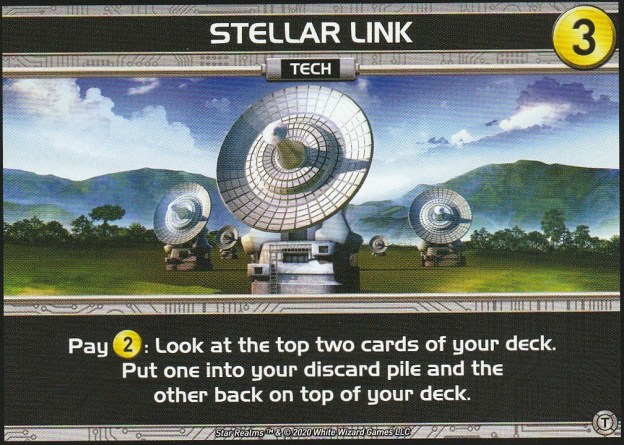
Ok, Stellar Link isn’t that bad, except when it is. I have found Stellar Link to be the only Tech card that, when used, might turn on you. My therapist said I should write about it, so here I am.
I previously published the article, “Tech Support“, describing my initial thoughts about the Tech expansion and each of the individual Tech cards. I had mostly nice things to say about Stellar Link. Then Stellar Link turns around and stabs me in the back. I guess 2 Trade isn’t enough to secure its loyalty and affection…I digress.
Continue reading
by Scott Heise aka HomerJr and Rick DeMille aka Darklighter
Updated to include the $8 Command Deck ships and High Alert Tech.
By Rick DeMille aka Darklighter
Editor’s Note: This is Part 4 of our Command Deck Strategies Series. We also recommend:
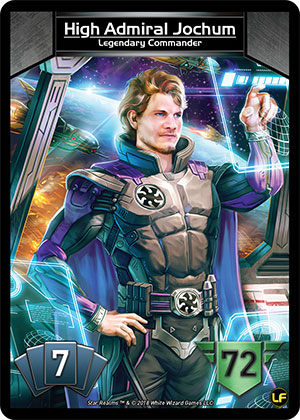
High Admiral Jochum introduces a new card type/game mechanic: Shards. Because of this, Jochum probably has the steepest learning curve – though not the longest – among all Commanders. Hopefully the summaries and insights provided in this article will help shorten your Jochum learning curve, and ultimately assist in your mastery of this great Commander of the Lost Fleet.
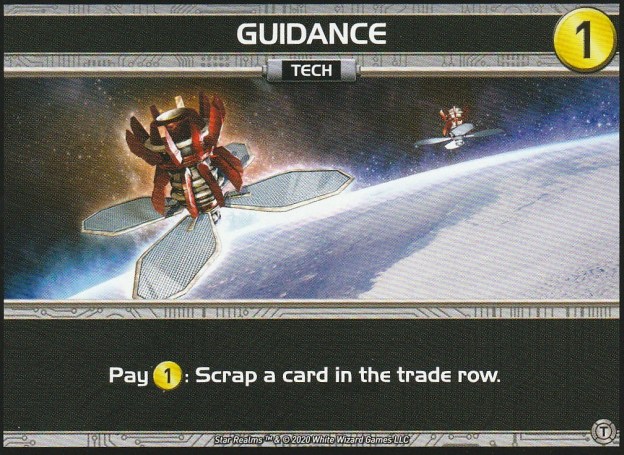
Star Realms High Alert introduces a new card type: Tech. In this article we’ll discuss this new card type generally, and then each Tech card individually.
High Alert introduces 10 different Tech cards (8 from the Tech set, and 2 more from the Kickstarter-exclusive First Strike set).

Tech cards are shuffled into the trade deck and included among the cards available to purchase from the trade row.
Like Heroes, when you purchase a Tech card it goes directly into play. Unlike Heroes, a Tech card is not scrapped when used. Instead, the card stays in play for the remainder of the game; you can use each Tech card’s ability once per turn by paying the ability’s cost.
 Megahaulin Blog for Star Realm Strategy